A free, full-featured sermon library for a single church with optional multiple campuses.
- Price
- Free. No premium tier.
- Current release
- 1.6.1
- Support
- Manuals, guides, and registered community forum
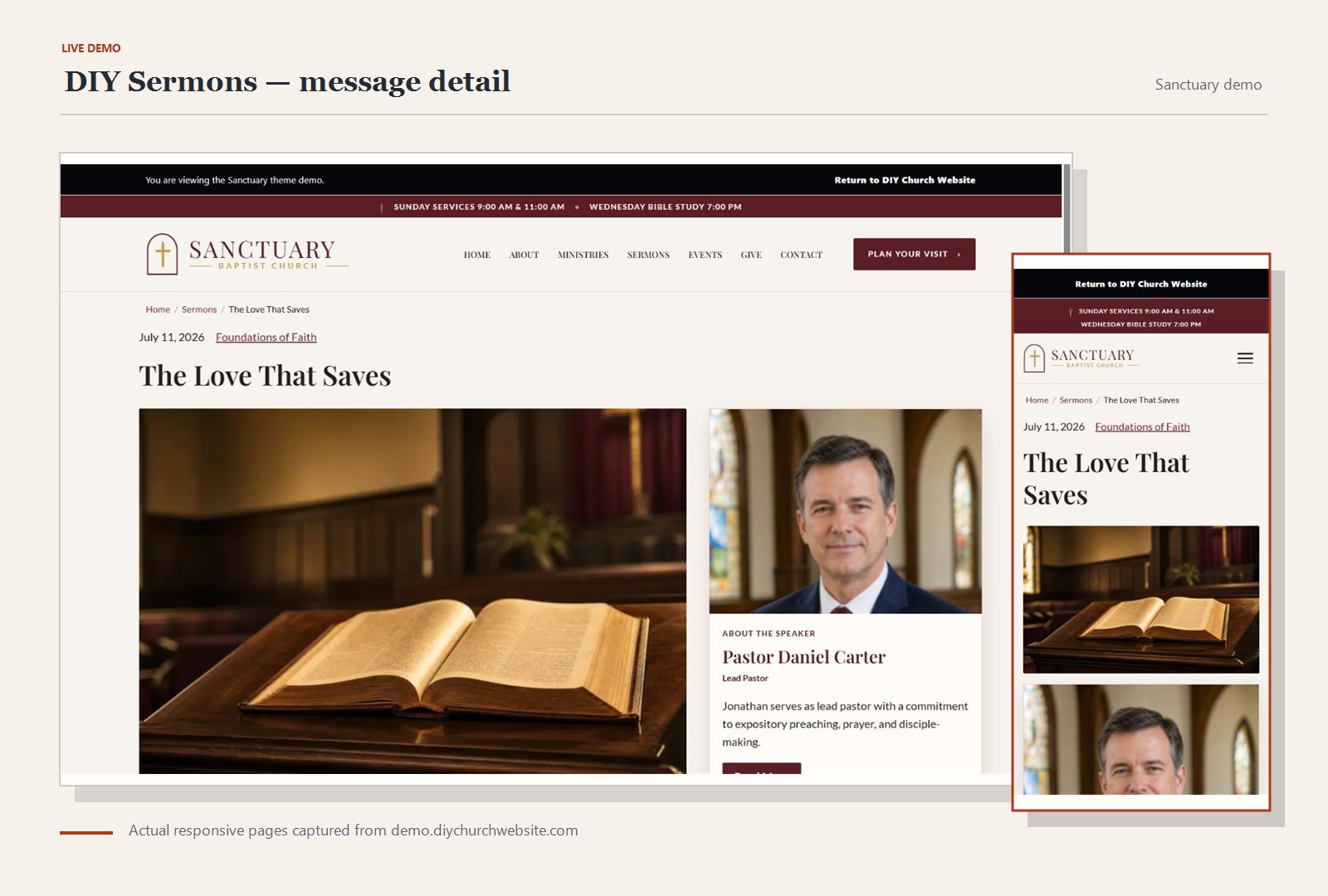
See the product at work
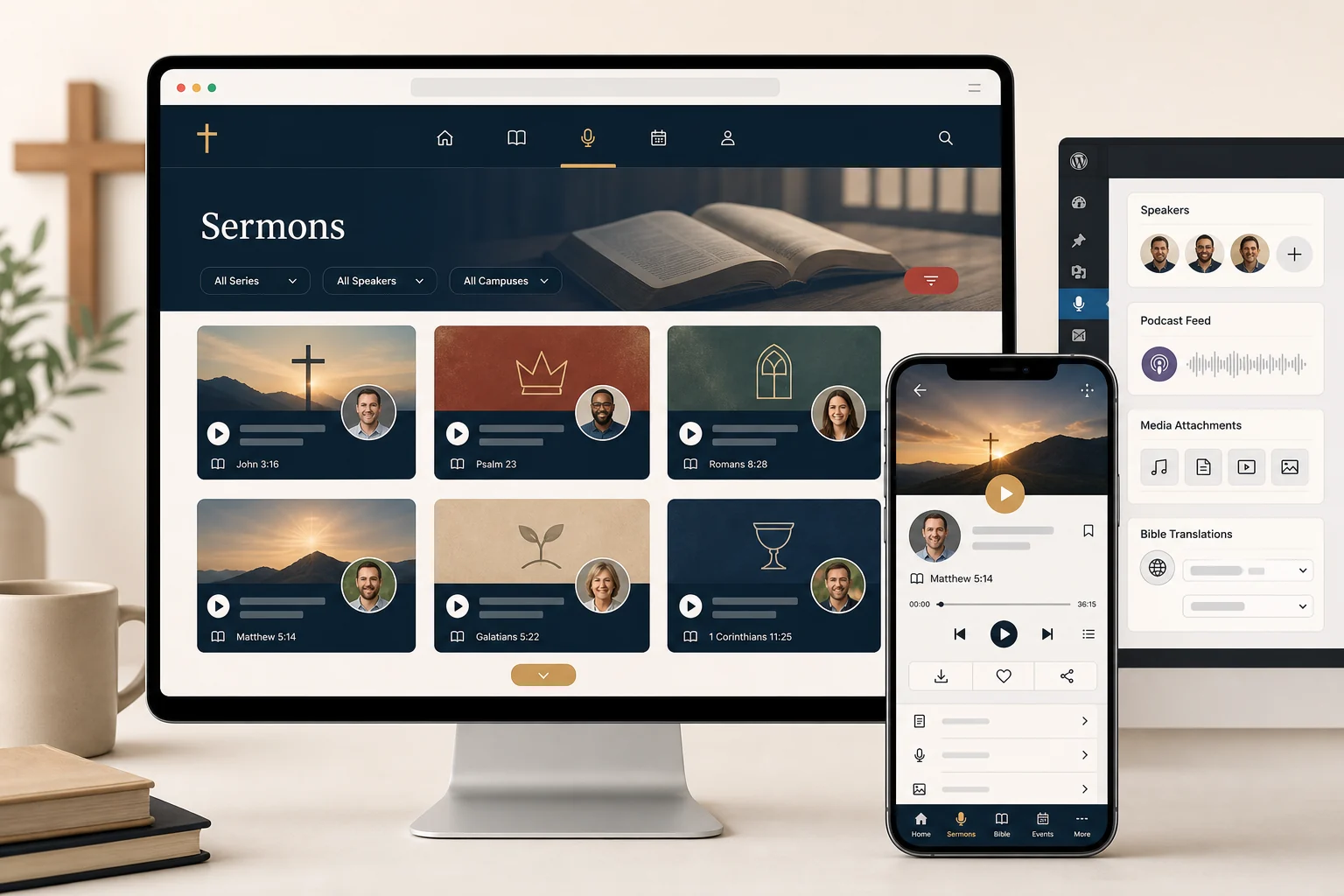
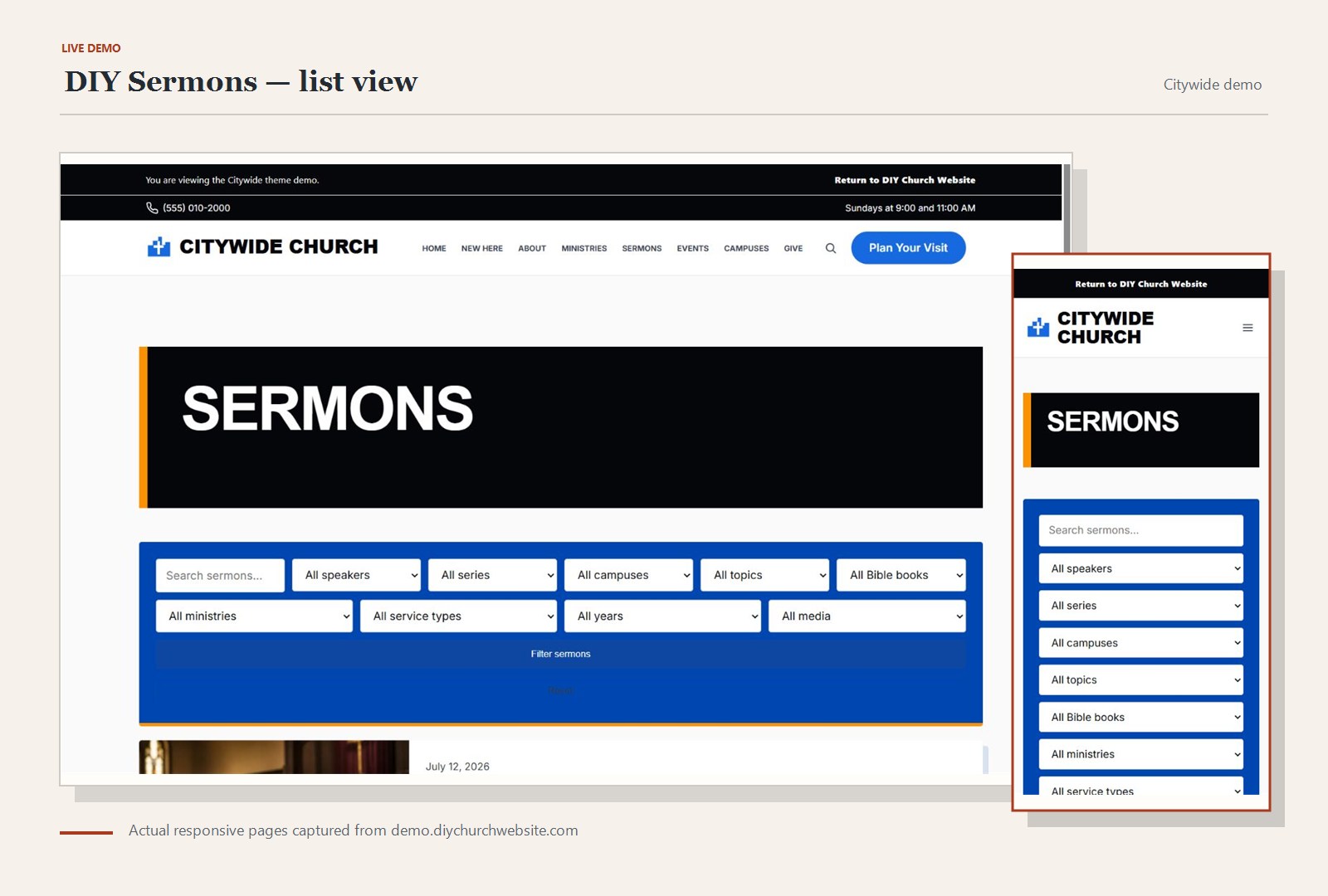
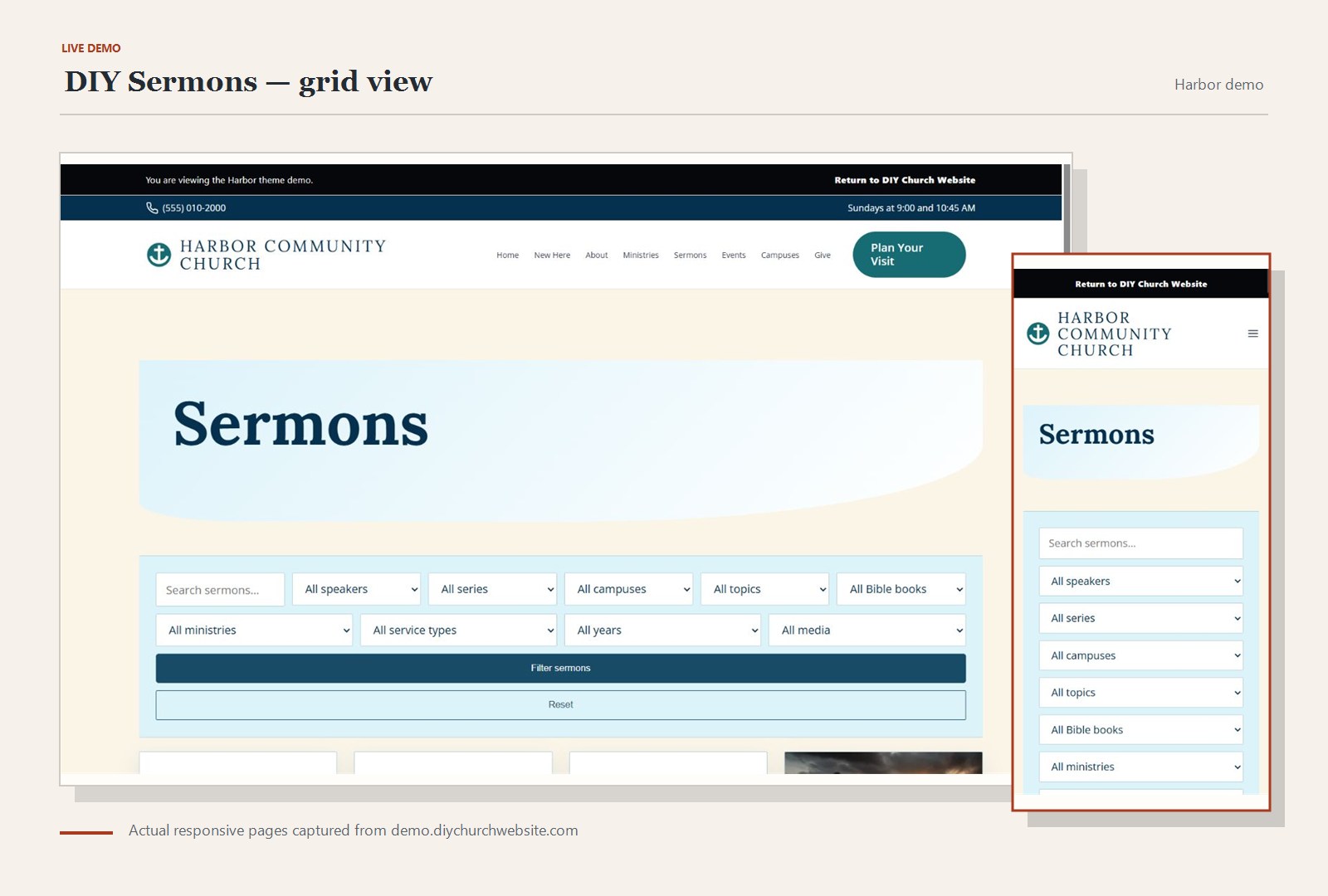
Use the arrows or keyboard to compare the available desktop, mobile, settings, and detailed views.
Capabilities, not locked upgrades
The complete feature set ships in the free download.
- Sermons with audio, video, livestreams, transcripts, Scripture, podcast fields, and unlimited resources
- WordPress Media Library and remote media URLs by default
- Optional Amazon S3 and S3-compatible object-storage uploads
- Rich speaker biographies with history, education, credentials, testimony, campus links, contact, and social profiles
- Single- and multi-campus profiles with service times, directions, pastors, livestreams, and archives
- KJV by default with cached HelloAO Bible API passages and per-sermon translation choices
- Multiple podcast shows with standards-oriented RSS and Podcasting 2.0 people/transcript tags
- Grid, list, compact, media-first, masonry, carousel, playlist, and calendar-style libraries
- Horizontal, vertical, compact, widget, shortcode, and block filters with URL parameters
- Gutenberg blocks, classic widgets, shortcodes, sharing tools, structured data, and print styles
- Importers for Advanced Sermons, Sermon Manager for WordPress, and Series Engine CSV exports
- Duplicate-safe migration mapping and rollback of imported DIY records
- Optional reviewable WordPress AI plans with history and rollback; Bible text is never supplied by AI
- WPML, Polylang, RTL, translated-field, and language-aware extension readiness
- Completeness, accessibility, remote-media health, bulk, embed, and listening-queue tools
Before installation
This product follows normal WordPress permissions and APIs. Optional integrations fail gracefully when their companion plugin is absent.
Requirements
- WordPress and PHP versions listed in the included readme
- An administrator account for installation and setup
- A current backup before changing a production site
Set it up
- Upload the ZIP under Plugins > Add Plugin and activate it.
- Review its settings before publishing ministry content.
- Test with sample content or on staging before changing a live site.
- Keep the matching manual and community support links nearby.
Version history
This current release is the starting point for public release notes. Future updates will be added here with compatibility notes and a concise change summary.
Version 1.6.1
Starting release record. This is the current package distributed by DIY Church Website and the baseline for all release notes going forward.
- Sermons with audio, video, livestreams, transcripts, Scripture, podcast fields, and unlimited resources
- WordPress Media Library and remote media URLs by default
- Optional Amazon S3 and S3-compatible object-storage uploads
- Rich speaker biographies with history, education, credentials, testimony, campus links, contact, and social profiles
Download, read, then test.
Keep a current backup and use staging for important changes. Start with the manual and guides; search the forum before opening a registered support topic.