An AI companion that lets authorized administrators use the WordPress AI Connector to propose and apply supported site changes.
- Price
- Free. No premium tier.
- Current release
- 2.0.0
- Support
- Manuals, guides, and registered community forum
See the product at work
Use the arrows or keyboard to compare the available desktop, mobile, settings, and detailed views.
Capabilities, not locked upgrades
The complete feature set ships in the free download.
- Provider-agnostic WordPress 7 AI Client and Settings > Connectors integration
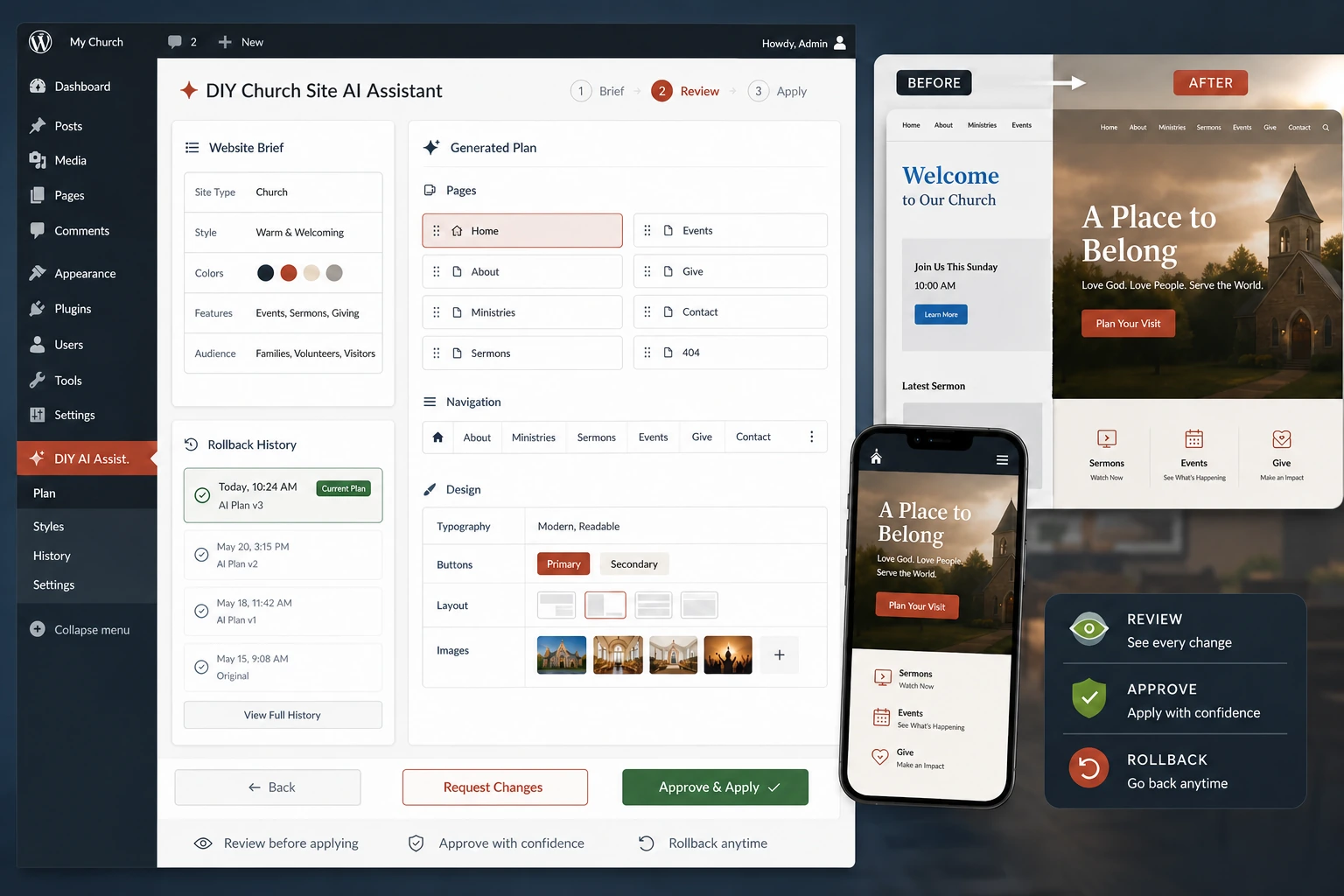
- Plain-language website brief for goals, audience, pages, tone, and requirements
- Proposes only typed, allowlisted DIY Church Wireframe settings
- Creates portable content from core WordPress blocks
- Can propose a static homepage and primary navigation
- Review screen shows the proposed plan before anything changes
- Explicit administrator approval is required before immediate application
- Change history with rollback for applied plans
- Reused pages are never overwritten or deleted
- Never edits PHP, CSS, JavaScript, theme files, or executable code
- Does not store provider API keys or send user, order, or customer records
- Bounded child-theme and bbPress planning context
Before installation
This product follows normal WordPress permissions and APIs. Optional integrations fail gracefully when their companion plugin is absent.
Requirements
- WordPress and PHP versions listed in the included readme
- An administrator account for installation and setup
- A current backup before changing a production site
Set it up
- Upload the ZIP under Plugins > Add Plugin and activate it.
- Review its settings before publishing ministry content.
- Test with sample content or on staging before changing a live site.
- Keep the matching manual and community support links nearby.
Version history
This current release is the starting point for public release notes. Future updates will be added here with compatibility notes and a concise change summary.
Version 2.0.0
Starting release record. This is the current package distributed by DIY Church Website and the baseline for all release notes going forward.
- Provider-agnostic WordPress 7 AI Client and Settings > Connectors integration
- Plain-language website brief for goals, audience, pages, tone, and requirements
- Proposes only typed, allowlisted DIY Church Wireframe settings
- Creates portable content from core WordPress blocks
Download, read, then test.
Keep a current backup and use staging for important changes. Start with the manual and guides; search the forum before opening a registered support topic.